1 Ninjago Coloring Pages - Free PDF Printables

By: Crafty Josh | Last Update:

Step into the action with this collection of 1 Ninjago-inspired coloring pages, featuring dynamic ninja characters and adventure-filled scenes inspired by the popular series.

These designs are especially suited to kids who enjoy action themes, martial arts heroes, and imaginative storytelling, offering bold outlines that make coloring exciting but still manageable.

Each page is a free black-and-white PDF printable, available in both US Letter and A4 sizes, so you can download and print them easily at home for screen-free creative time, birthday parties, or classroom activities.

To discover more game-inspired and character-themed designs, browse our full video

games coloring pages collection.

🖨 Ready to print? Here's how to get the best results and fix common issues.

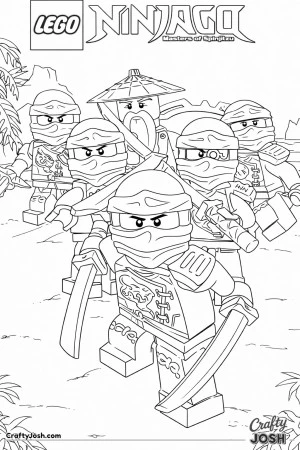
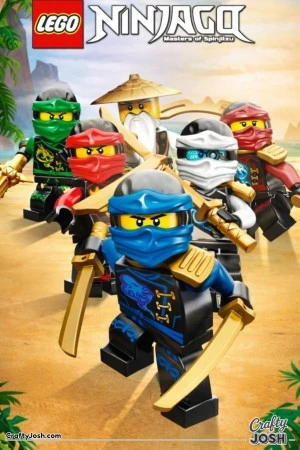
Pin to Pinterest🎨 A brave team of LEGO ninjas charges forward with shiny swords, ready for an exciting adventure on a sunny beach.A brave team of LEGO ninjas charges forward with shiny swords, ready for an exciting adventure on a sunny beach.
Lego Ninjago Masters of Spinjitzu Group

Crafty Josh coloring pages are fan-made creations and are not official artwork. They are not affiliated with, endorsed by, or associated with any brand, company, or copyright owner. All trademarks and characters remain the property of their respective owners.

Related Categories

You may also like to try some of these related categories for more free, printable PDF coloring pages:

Coloring Pages FAQ

  1. May I use these designs in products or paid downloads?
    • No - commercial use isn’t permitted, including products, bundles, or paid downloads.
  2. Is there a fee to print Crafty Josh coloring pages?
    • No - printing is free for personal use once you download the page.
  3. Are these coloring pages allowed for educational use?
    • Yes - you can print them for non-commercial educational use in learning environments.
  4. Do I need to create an account to download or print?
    • No account needed - just pick a page and print or download it.
  5. How do I make sure the whole page prints on one sheet?
    • Select Letter or A4, enable “Fit to Page,” and check the print preview before printing.